At a health camp
- Each camp prints the client's report format
- Pre-employment, periodic, driver and custom checkups
- Download a camp's reports in bulk
CheckupMate's report designer lets you build the examination forms your staff fill and lay out each client's report on real A4 pages — letterhead, sections and signatures.
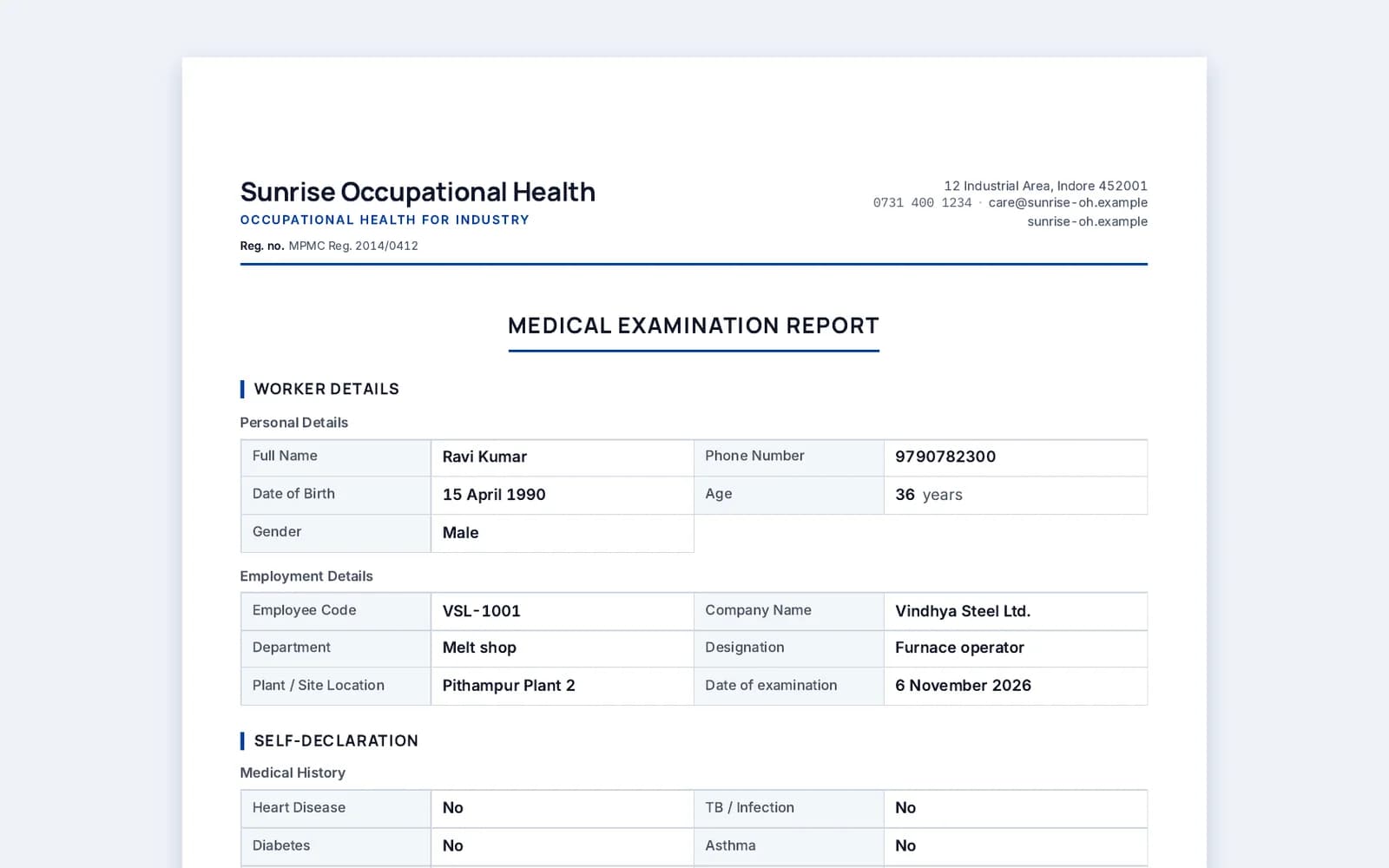
Built for occupational health: vitals, vision, audiometry, lab reports and the doctor's decision.
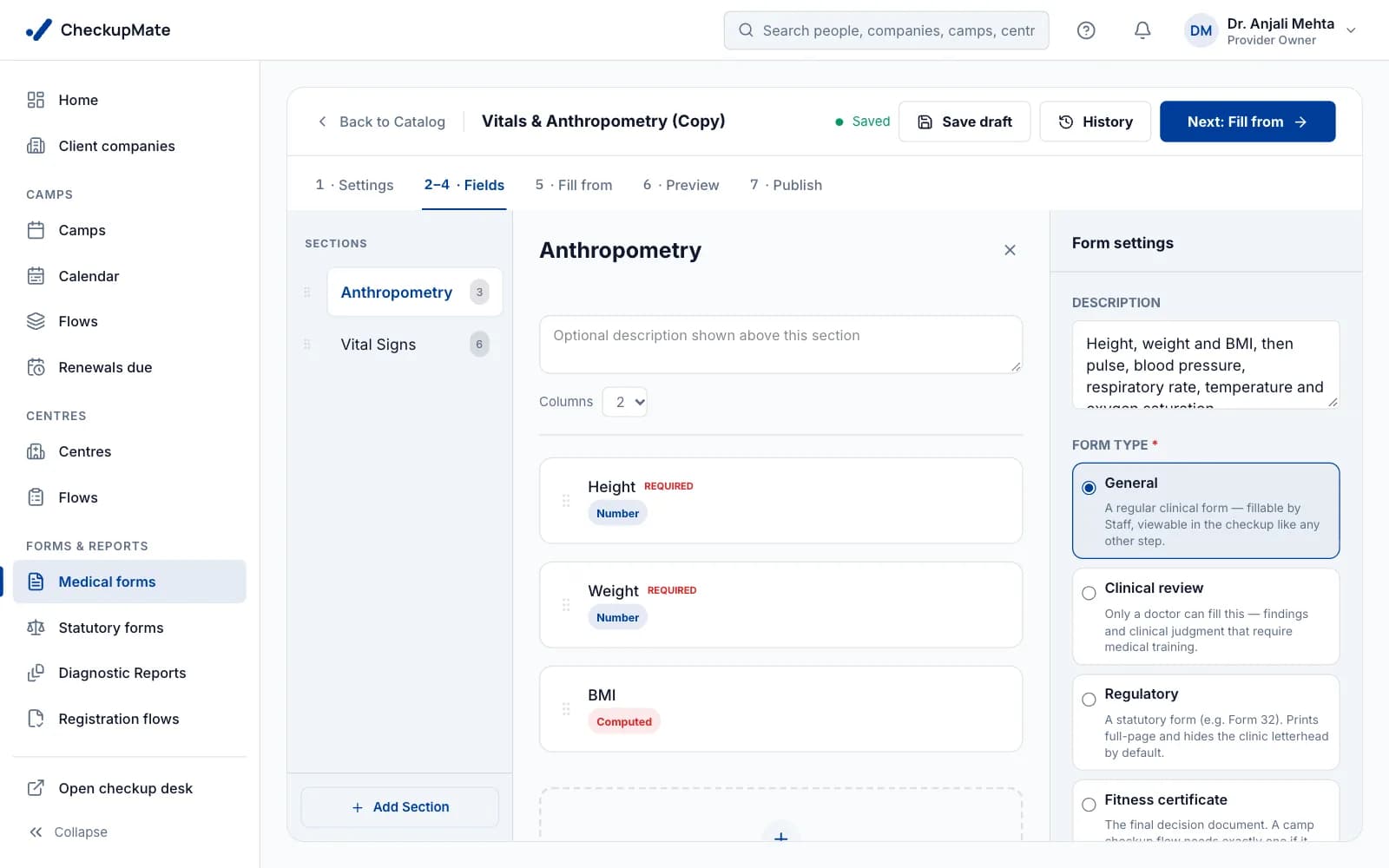
Text, numbers with units, yes / no, choices, dates and more.
A table in a form — audiometry by ear and frequency, for example.
BMI and other values worked out from the fields you fill.
Findings and clinical judgement only a doctor can fill.
Registration details fill later forms; no typing the name twice.
Link a field to a register column, and the register fills itself.
Five steps you do once per checkup type. After that, every camp and every OHC checkup uses them.
Add sections and fields, or start from a ready-made form and change it. Preview it as staff will see it on a tablet.
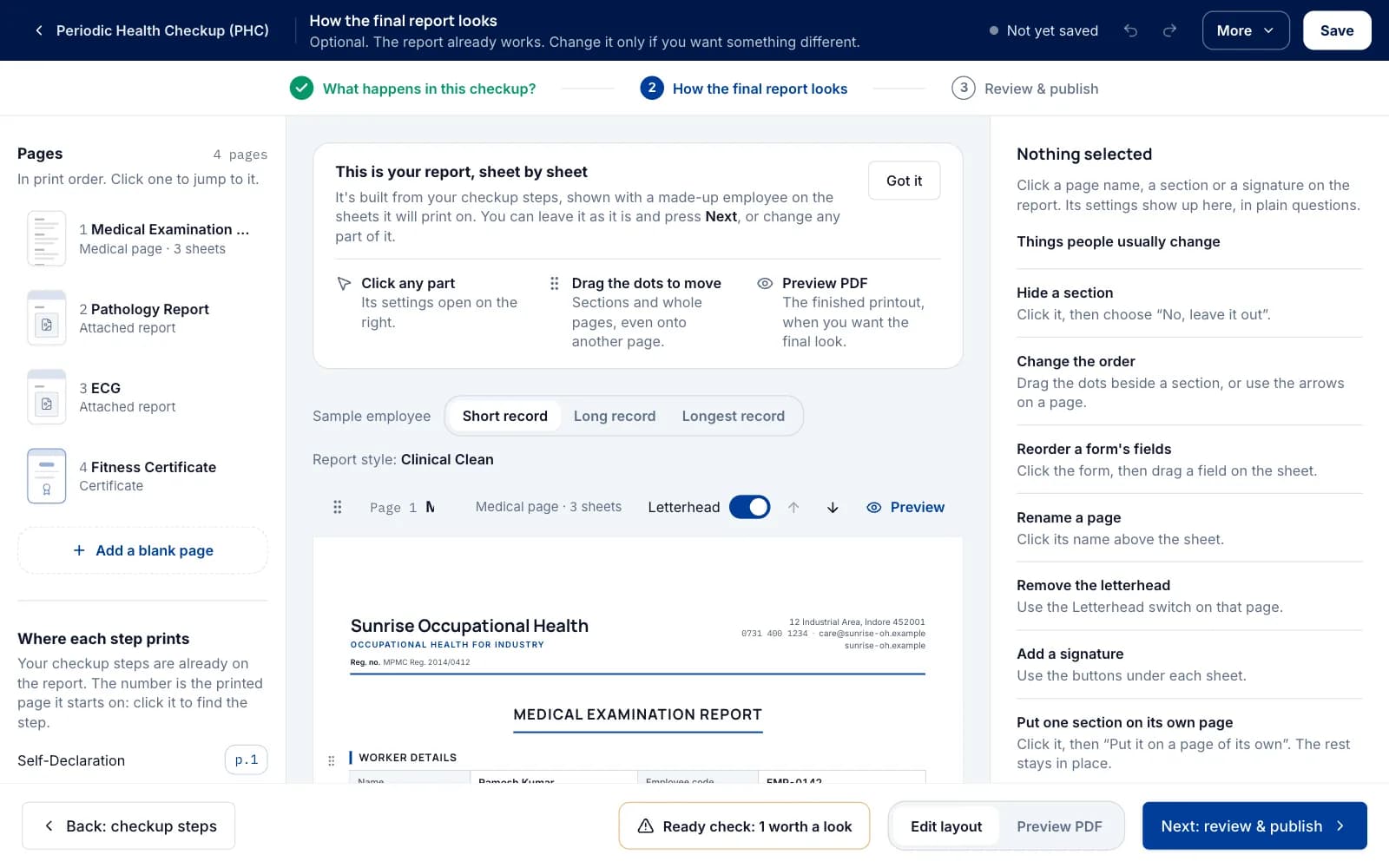
Choose which forms go on which page, drag fields to where they print, and see it with sample data — not a guess.
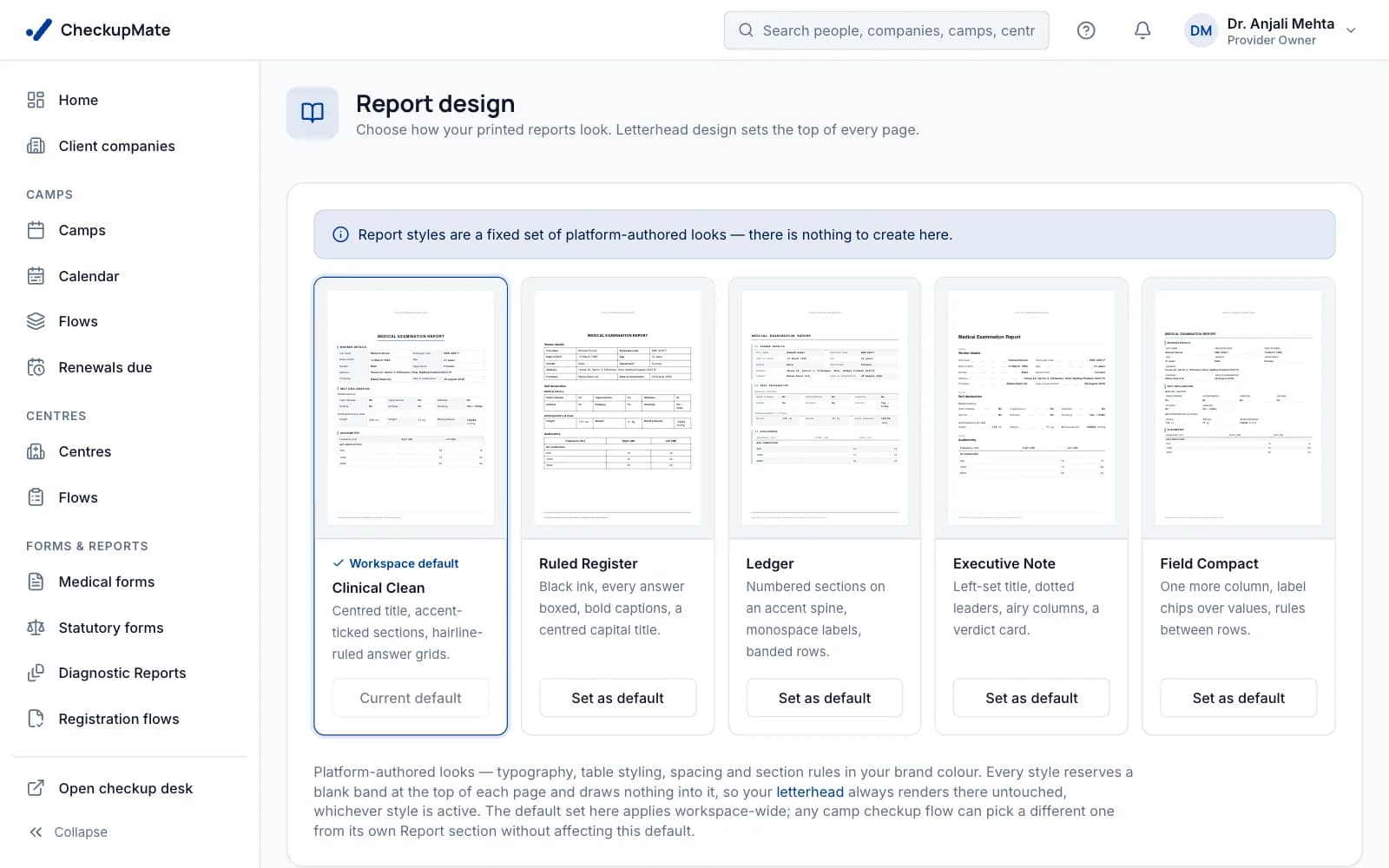
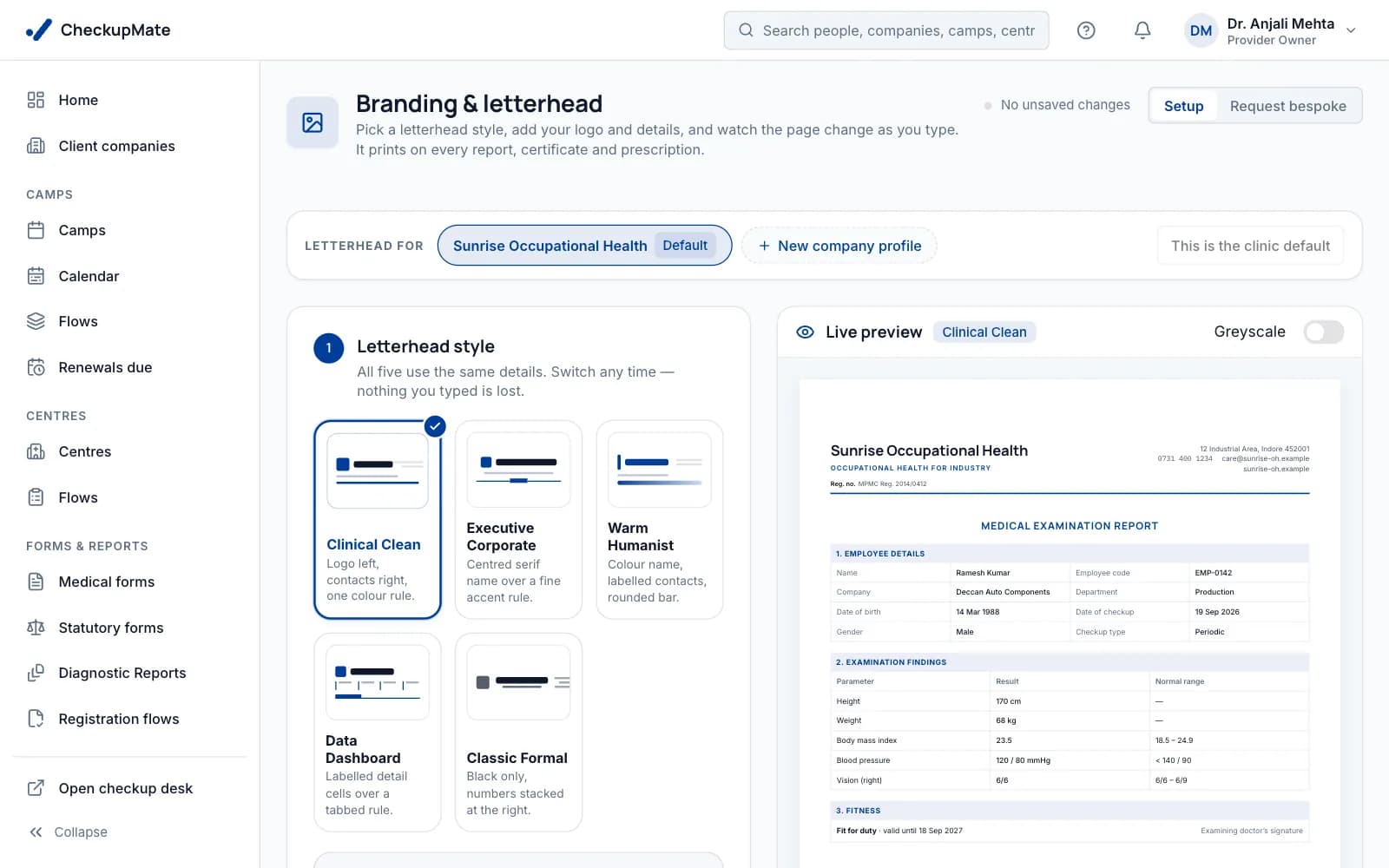
Five report styles, each shown on real A4 sample sheets before you pick. The layout you arranged stays the same in every style.
Add your logo, address and registration details on the branding page, choose one of five letterhead styles, and see the A4 page as you change it.
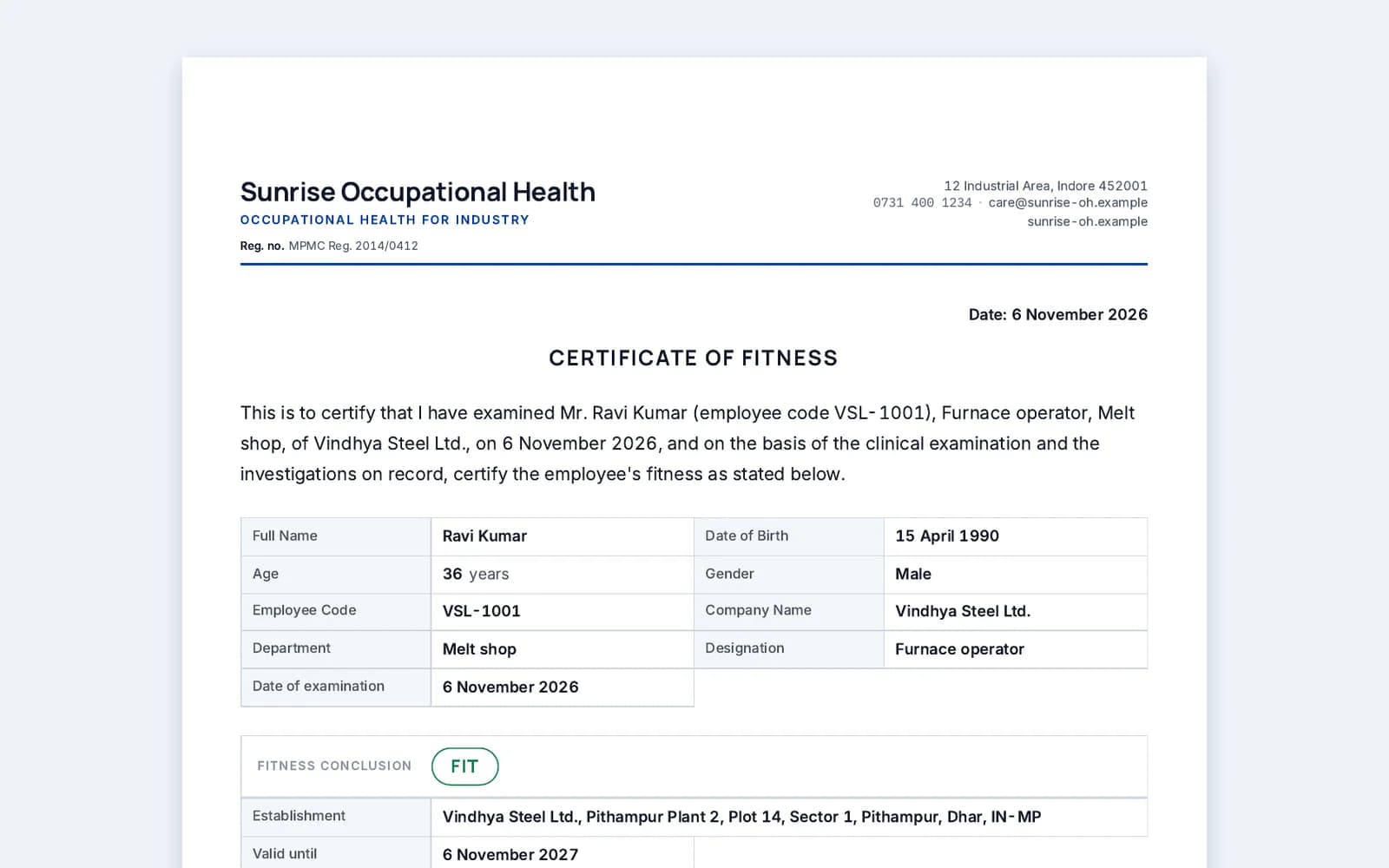
Place signature blocks on the pages that need them. The examining doctor, a certifying surgeon or a specialist can each sign their own part.
The form builder, the report designer and your branding stay free once you've bought a pack or a plan — even when your checkup balance is zero.
Need a form you don't have? Ask from inside the app and we'll build it for you.
Yes. Add sections and fields — text, numbers with units, yes / no, choices, dates, grids and calculated values — or start from a ready-made form and change it. Mark the fields only a doctor can fill.
Yes. Each company can have its own layout and letterhead. You arrange the pages once, on real A4 sheets with sample data, and every camp for that client prints it.
Yes. Lab reports uploaded at the checkup are added to the finished report as pages.
Nothing. A signed report is a locked copy, and each form keeps its published versions, so old reports stay exactly as they were signed.
No. The form builder, the report designer and your branding are free for every paying customer, even when the checkup balance is zero.
Form 32, Form 35 and the other statutory forms print in their legal layout, and the registers fill themselves.
Request a free trial and build a form and a report with your own letterhead — or see it with your format in a 20-minute demo.
14 days free. No card needed to start. Free remote set-up call.