Review faster. Sign once. Stand behind every certificate.
For occupational health doctors and factory medical officers. Your staff fill the forms; you see who is ready, review the whole record, decide fitness and sign — in camps and in the OHC.
- 14 days freeFor your clinic
- No cardNeeded to start
- Only doctorsDecide and sign
Built for the doctor whose name is on the certificate.
Whether you examine at camps, run a factory's OHC or own the clinic — the review works the same way.
Occupational health doctors
Examine and sign at corporate health camps for a clinic or diagnostic centre.
Factory medical officers
Run the OHC at a site: OPD visits, prescriptions, return-to-work and periodic checkups.
Certifying surgeons and AFIH doctors
Keep your AFIH and Certifying Surgeon details on your profile, for the forms that ask for them.
Owners who also examine
Run the clinic and sign its reports from one sign-in.
From the queue to the signed report, in four steps.
Staff record the vitals, tests and lab reports. Everything clinical waits for you — and arrives as it is ready, not after the camp.
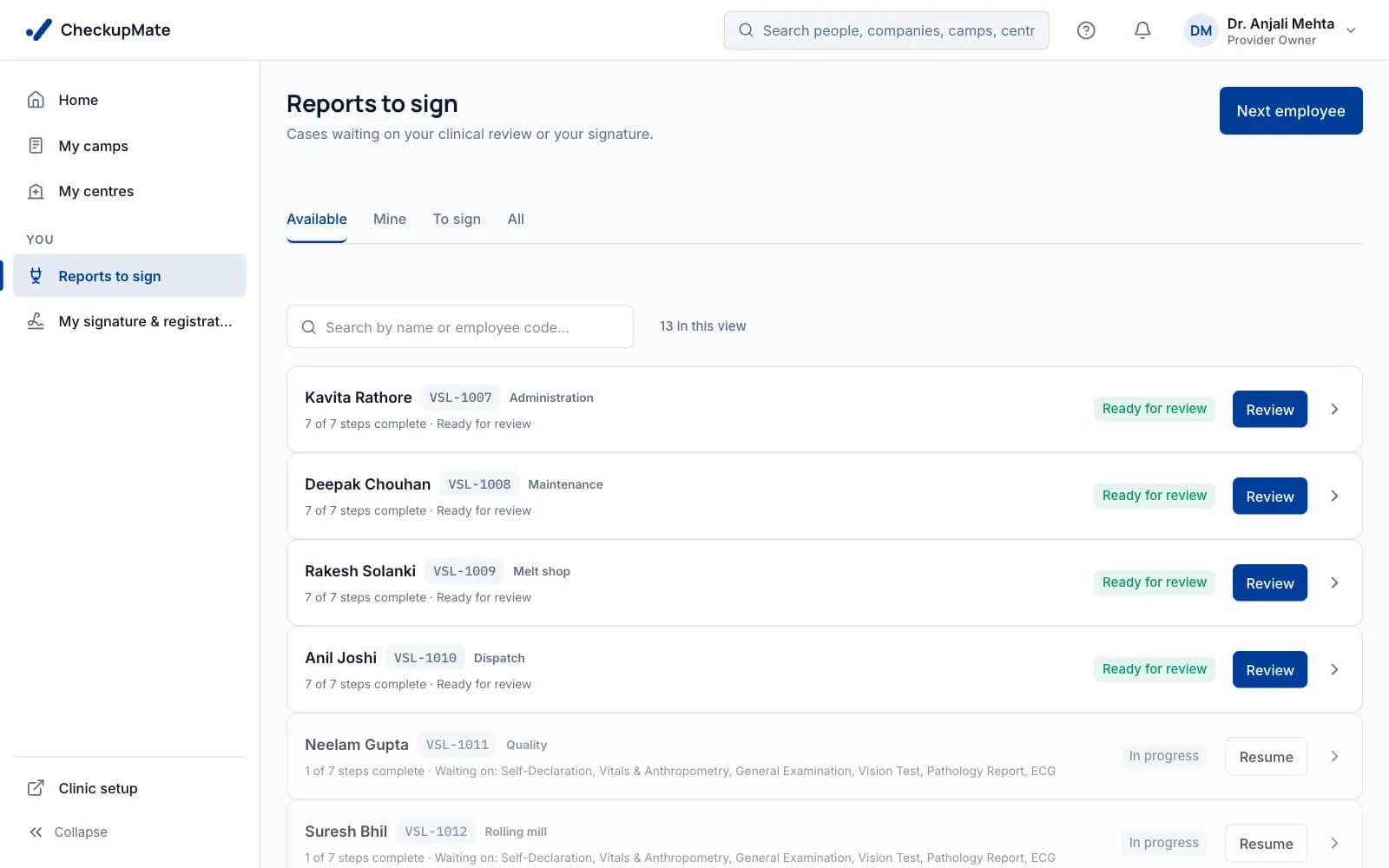
See who is ready — and who is waiting on what.
One list across the camps and OHCs you are assigned to. A checkup appears the moment it is ready for you; nothing to chase on WhatsApp.
- Ready for review, in progress and reports to sign — kept apart
- In-progress checkups show what they are waiting on, such as a lab report
- Search by name or employee code
Doctor reviews
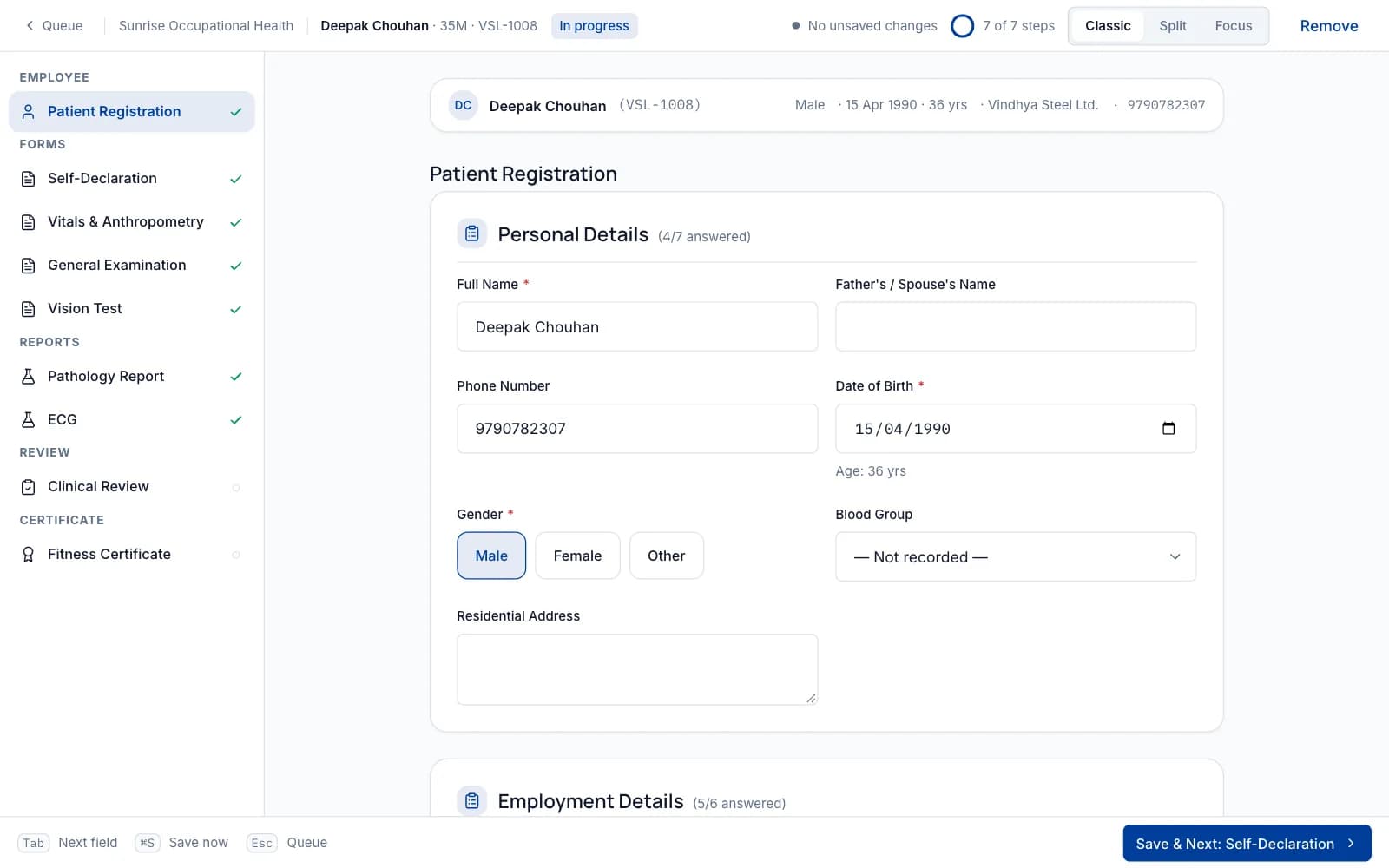
SampleEvery form, report and past checkup on one screen.
Registration, every examination form and every uploaded lab report, with the worker's previous checkups beside today's.
- Previous checkups and certificates, newest first — from camps and the OHC
- Trends for each test across the years
- Uploaded lab reports on the same screen
Decide fitness the way you write it on paper.
Fit, Fit with restrictions, Temporarily unfit or Unfit. Tick the restrictions or describe them, set how long they last and add your remarks.
- Restrictions with an end date — or none
- Temporarily unfit until a review date you choose
- Validity comes from the form or camp; you can change it
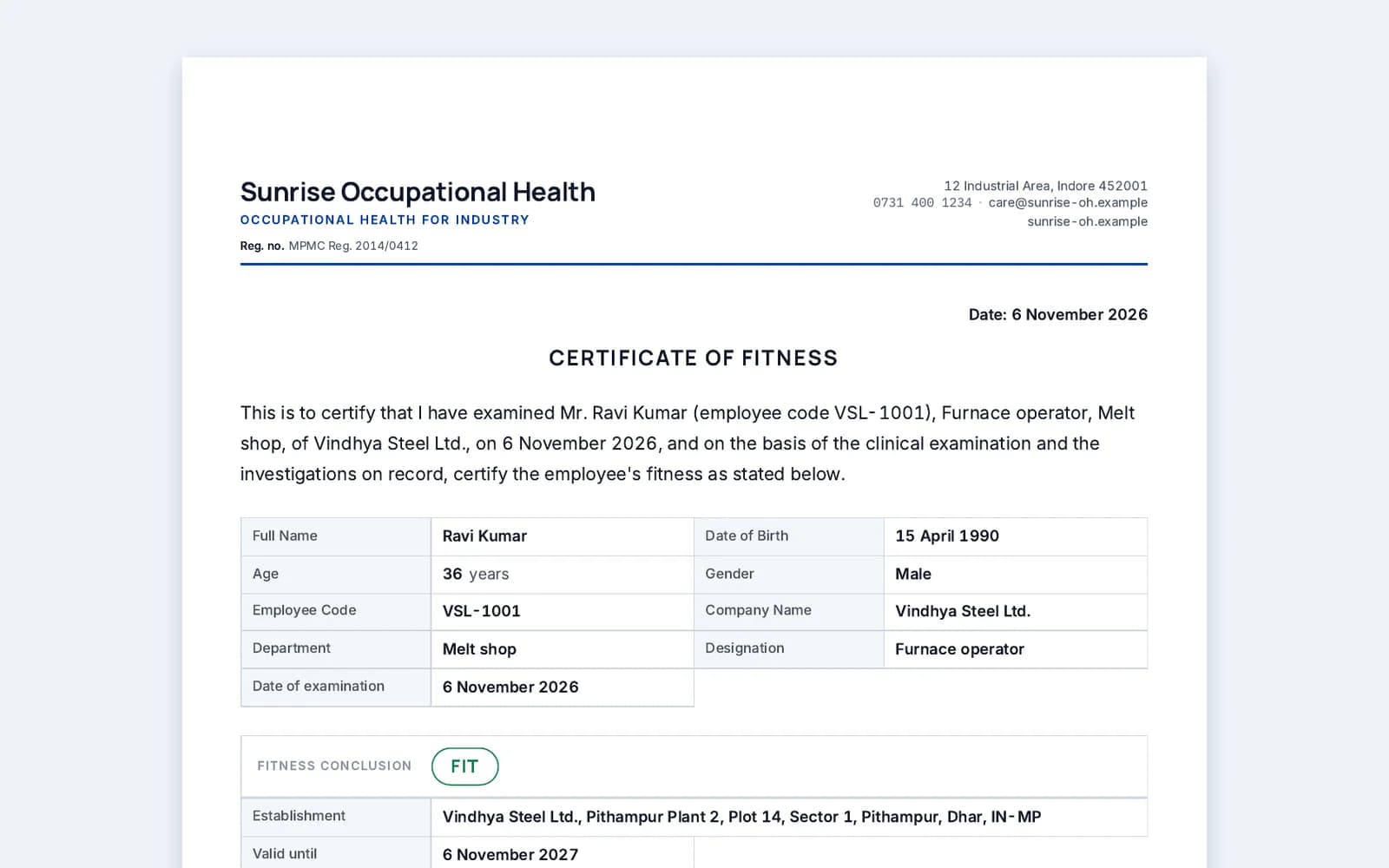
Grant and sign in one step.
Granting the certificate signs it. Then you see every other place your signature goes on the report, and sign them together.
- Your signature is drawn or uploaded once and reused
- Several reports to sign? Sign them in one go
- The report is finalised and locked the moment you sign
Four outcomes, written the way occupational health doctors write them.
- Fit
Fit for duty. The certificate carries its validity.
- Fit with restrictions
No work at height, for example — with the date the restrictions end.
- Temporarily unfit
Until a review date, within 24 months. The worker is seen again then.
- Unfit
With your remarks and abnormal findings on the record.
Only a doctor submits a review, decides fitness and grants the certificate. Staff can fill forms; they can't decide.
Your signature and credentials, set up once.
When a clinic invites you, you add them on one page. They print under your signature on every report you sign — and they belong to you, not the clinic.
More than one doctor on a report?
Each signature has its place. The examining medical officer, the certifying surgeon and a reviewing doctor can each sign their own part of the same report.
Signature & credentials
- Signature — drawn with a finger or stylus, or uploaded
- Qualifications, as printed under your name
- Medical council and registration number, with its validity
- Designation, such as Medical Officer
- AFIH certificate number (optional)
- Certifying Surgeon approval number, state and validity (optional)
A record that protects you if a certificate is ever questioned.
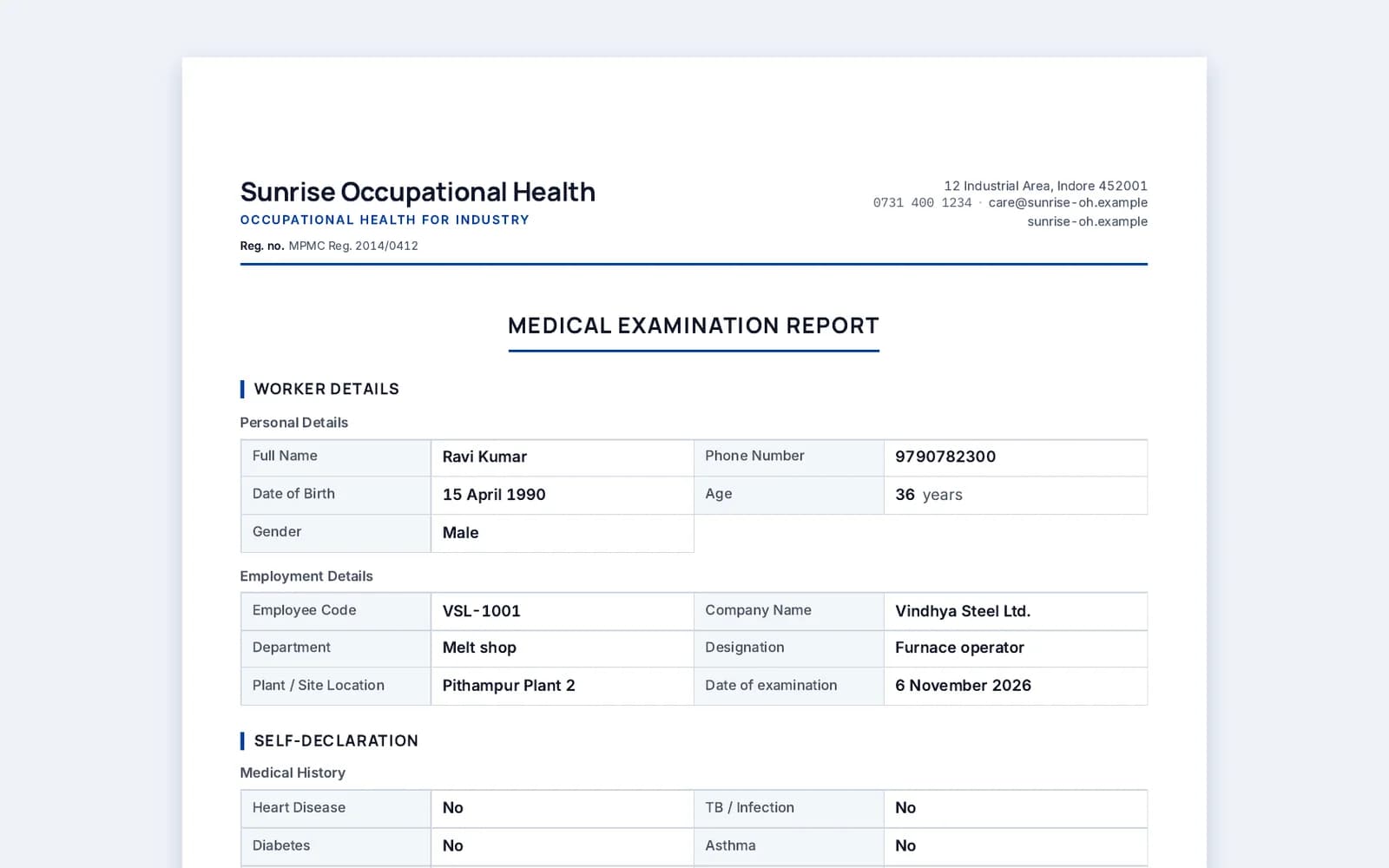
What you signed stays exactly as you signed it.
Locked when you sign
The signed report is a fixed copy. It can't be edited afterwards.
Corrections leave a trail
A correction needs a written reason, and every change is in the audit log with who made it and when.
Your decision is never silently overtaken
If a lab report is corrected after you decided, the checkup comes back to you marked for revision.
Verifiable online
Each signed report prints a verification line. The verification page shows who signed, in what capacity and when — and no clinical details.
Nobody signs as you
Signing needs your own sign-in and your consent to sign electronically. Not even our support team can sign for you.
In the OHC, the same record — every day.
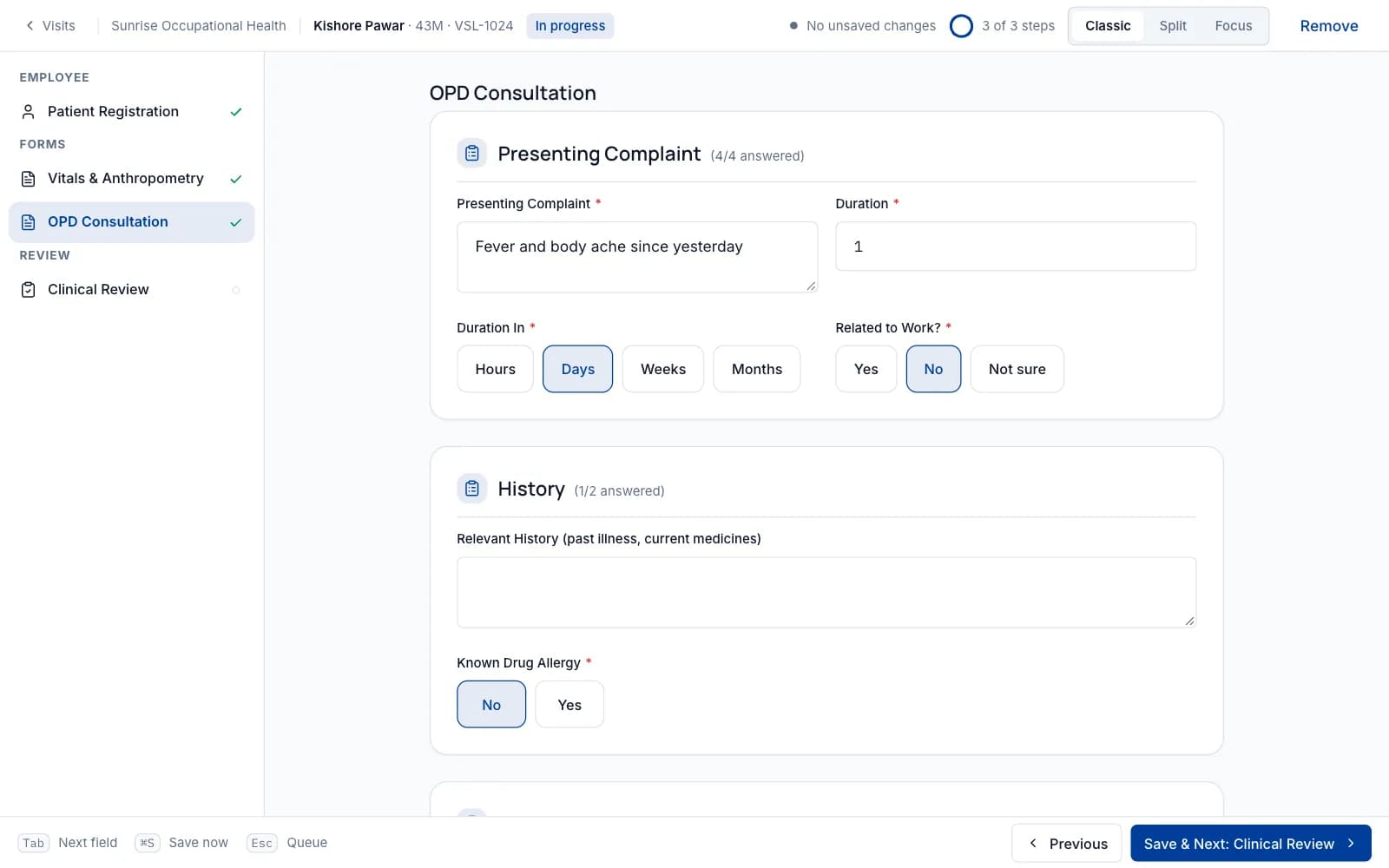
If you are the medical officer at a site, your OPD visits, prescriptions and return-to-work decisions sit on the same worker record as their checkups.
- Prescriptions you sign — the prescription sheet alone on the letterhead, or the full visit report
- Return-to-work visits linked to the injury that caused them
- The nurse dispenses from stock, earliest expiry first — or you dispense yourself
- Pre-employment and periodic checkups at the OHC go through the same review
Questions doctors ask
Can staff decide fitness or sign reports?
No. Staff can fill forms and upload lab reports. Only a doctor submits the review, decides Fit, Fit with restrictions, Temporarily unfit or Unfit, grants the fitness certificate and signs.
How do I sign?
When a clinic invites you, you add your signature (drawn with a finger or stylus, or uploaded), qualifications and registration number once. After that, granting a certificate signs it, and you sign the report's other places in the same step.
Is it a digital signature certificate (DSC) or Aadhaar eSign?
No. It is an electronic signature, given with your own sign-in and your consent to sign electronically. It is not a digital signature certificate, and Aadhaar eSign is not available yet.
Can a signed report be changed?
No. A signed report is locked. A correction needs a written reason and is kept in the audit log. If a lab report is corrected after you decided, the checkup comes back to you for revision.
How does someone check a certificate is genuine?
Every signed report prints a verification line. The verification page shows who signed it, in what capacity and when, without showing any clinical details.
I work with more than one clinic. Do I set up twice?
No. Your signature and credentials belong to you, not to a clinic, so every clinic that invites you uses the same ones.
Do I pay anything as a doctor?
No. The clinic or company that runs the camps or the OHC pays, per checkup or per OHC, not per person.
Can different doctors sign different workers in one camp?
Yes. Each checkup has its own signer, and one report can carry more than one signature — for example the examining doctor and the audiologist.
Own the clinic as well?
See what CheckupMate does for the business side — camps, each client's report format, the client portal and GST bills.
Bring CheckupMate to your clinic.
Request a free trial for the clinic you sign for, or share this page with your clinic owner. Practice camps are free, so you can try the review before a real camp.
14 days free. No card needed to start. Free remote set-up call.